

Malapit na ang 2027: Required pa rin ba ang CCTV sa mga Business sa Minglanilla City? October 21, 2026 Carol Jhane Canitan Add as a preferred source on Google Video. https://youtube.com/shorts/h-XwDTzQ_G4 CCTV …
Pag-install ng Price Checker sa Cebu: Mula Site Assessment Hanggang Demo.
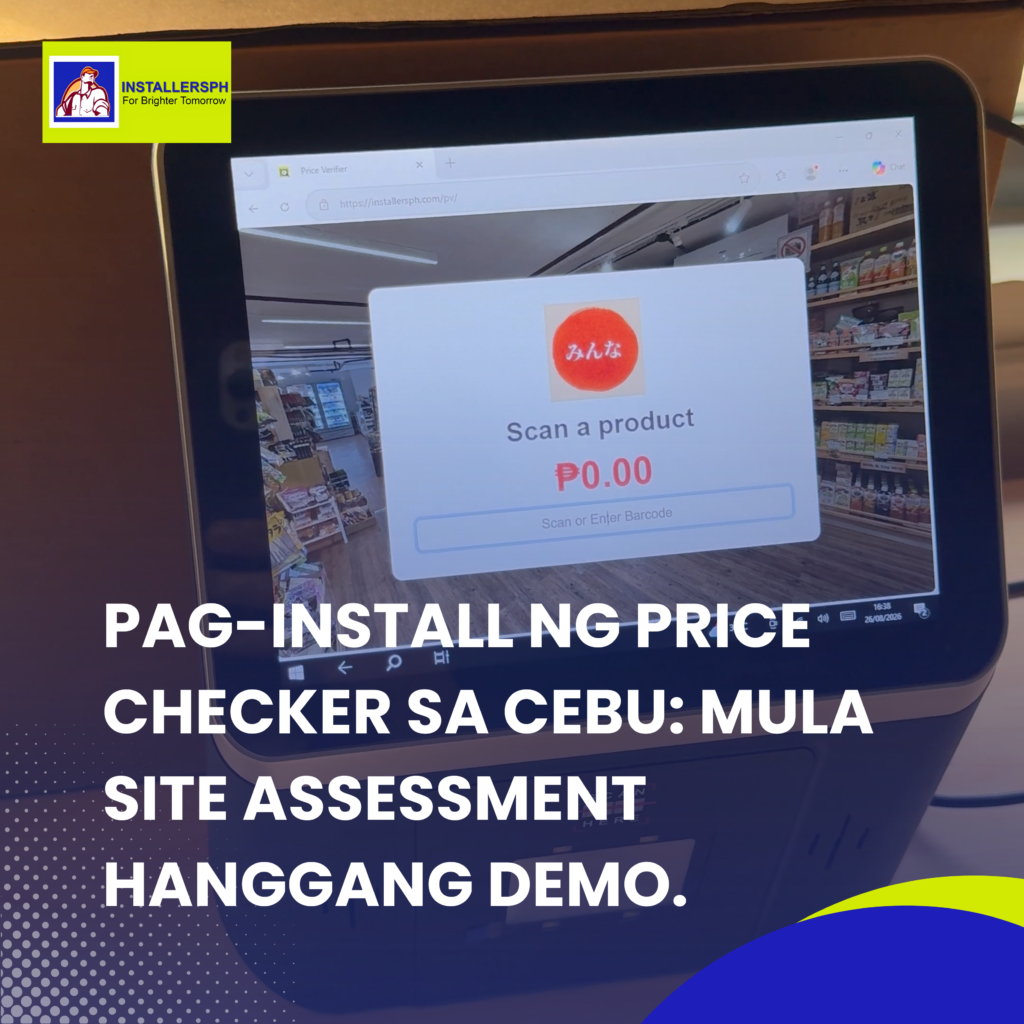
Video.
Price Checker Installation: From Site Assessment to Customer-Ready Setup
Introduction.
A Price Checker can make shopping more convenient by allowing customers to quickly scan a product barcode and view important information such as the product name and price. However, getting a Price Checker ready for use is more than simply installing the unit and plugging it into a power outlet.
For a reliable and customer-friendly setup, proper planning, installation, network connection, testing, and demonstration are important. At InstallersPH IT Solutions, we follow a step-by-step process to help ensure that the Price Checker is properly installed and ready for everyday store operations.
Step 1: Site Assessment.
The process begins with a site assessment. Before installing the Price Checker, the installation team checks the best location for the unit.
Several factors are considered, including the available power outlet, network connection, and accessibility for customers. The team also checks whether the connection will use Wi-Fi or LAN, depending on the store’s network setup.
Proper placement is important. The Price Checker should be easy for customers to access while making sure that it does not block walkways, displays, or other store equipment.
Step 2: Installation.
Once the location has been assessed and approved, the next step is the installation of the Price Checker.
The unit is positioned properly and connected to its required power source. Cables are also arranged carefully to help maintain a clean and organized setup.
A proper installation helps keep the equipment stable and reduces unnecessary cable clutter around the area. The goal is to create a setup that is functional, safe, and suitable for everyday customer use.
Step 3: Network and System Connection.
After installation, the Price Checker needs to be connected to the store’s network and relevant systems.
Depending on the store’s configuration, the device may connect to the POS, server, or product database. This allows the Price Checker to retrieve product information associated with scanned barcodes.
The connection must be checked carefully to ensure that the device can communicate properly with the system and display the appropriate product details.
Step 4: Testing and Verification.
Before the Price Checker is turned over for customer use, testing is performed.
The team scans actual product barcodes to verify whether the correct product name, price, and other available information appear on the screen. This step helps identify connection or data issues before the unit is made available to customers.
Testing also confirms that the Price Checker responds properly to barcode scans and communicates correctly with the store’s system.
Step 5: Staff Demo.
Once testing is complete, a quick staff demonstration is conducted.
The staff are shown how to operate the Price Checker and how customers can use it to check product information. This gives the store team a better understanding of the equipment and its basic operation.
Conclusion.
From site assessment to installation, network connection, testing, and staff demonstration, every step plays an important role in preparing a Price Checker for store operations.
With proper installation and configuration, the equipment can become a useful tool for improving customer convenience and making product price checking easier.
At InstallersPH IT Solutions, we focus on making sure the setup is properly installed, connected, tested, and ready for use.
Scan. Check. Go! 🛒📲
Articles
Malapit na ang 2027: Required pa rin ba ang CCTV sa mga Business sa Parañaque City? October 21, 2026 Carol Jhane Canitan Video. https://youtube.com/shorts/1-YFGRKPB6A CCTV Ordinance in Parañaque City: What Business Owners …

Malapit na ang 2027: Required pa rin ba ang CCTV sa mga Business sa Bacolod City? October 18, 2026 Carol Jhane Canitan Video. https://youtube.com/shorts/OJxJwJ3JDO4 CCTV Requirements in Bacolod City: What Business Owners …